

White Ink and Varnish in UV Printing: Functions, Benefits and Applications
UV printing has become a versatile solution for businesses producing signage, promotional products, packaging, decorative panels, and customized merchandise. While CMYK inks reproduce full-color images, white ink and varnish expand what UV printing can achieve.
For businesses printing on transparent acrylic, dark-colored materials, glass, metal, or premium promotional products, understanding the roles of white ink and varnish is essential. This guide explains how these specialty inks work, when they are needed, and how they help printing businesses offer more customized products.
1. What Is White Ink in UV Printing?
White ink is a specialty UV-curable ink used to print white graphics or create an opaque foundation beneath colored images. CMYK inks printed directly onto dark or transparent surfaces may look less vivid or change their appearance. A white ink layer provides a more consistent background.
· Printing colorful images on black or dark-colored substrates.
· Creating opaque graphics on transparent acrylic and glass.
· Printing white logos, lettering, and decorative designs.
· Producing reverse-printed transparent signage.
· Supporting multilayer printing and selected textured effects.
For example, a white underbase on black acrylic can significantly improve the visibility and contrast of a color graphic compared with printing CMYK alone.
2. What Is Varnish in UV Printing?
UV varnish, also called clear ink, is a transparent coating applied during UV printing. It creates surface effects, gloss contrast, and tactile details rather than color. Depending on the equipment and printing mode, varnish can cover the full image or selected areas.
Spot Varnish
Applied only to selected logos, lettering, patterns, or details to create contrast between glossy and non-glossy areas.
Full-Surface Varnish
Covers a larger printed area to create a more consistent surface appearance. Any wear-resistance benefit depends on the ink, curing and substrate.
Raised or Textured Varnish
Multiple printed layers create raised lettering, embossed-style patterns, and decorative textures. Height, clarity and durability depend on printer settings and materials.
3. White Ink vs. Varnish: What Is the Difference?
White ink primarily affects opacity and the visibility of color; varnish affects surface appearance and texture.
4. Understanding UV Printing Layer Structures
UV printers can combine ink layers. The correct structure depends on the substrate, viewing direction, artwork, and intended finish.
White + CMYK
For many dark or colored surfaces, a white underbase supports subsequent color printing.
CMYK + White
For reverse printing on clear acrylic or glass, color is printed for viewing through the transparent material, backed by white.
White + CMYK + Varnish
A white foundation supports color graphics while selected varnish highlights the surface.
Multiple Varnish Layers
Repeated clear-ink layers build tactile or raised patterns, with additional consumption and production time.
Layer order and curing settings vary by equipment and RIP workflow. For reverse printing, artwork may require mirroring. Test samples before production.
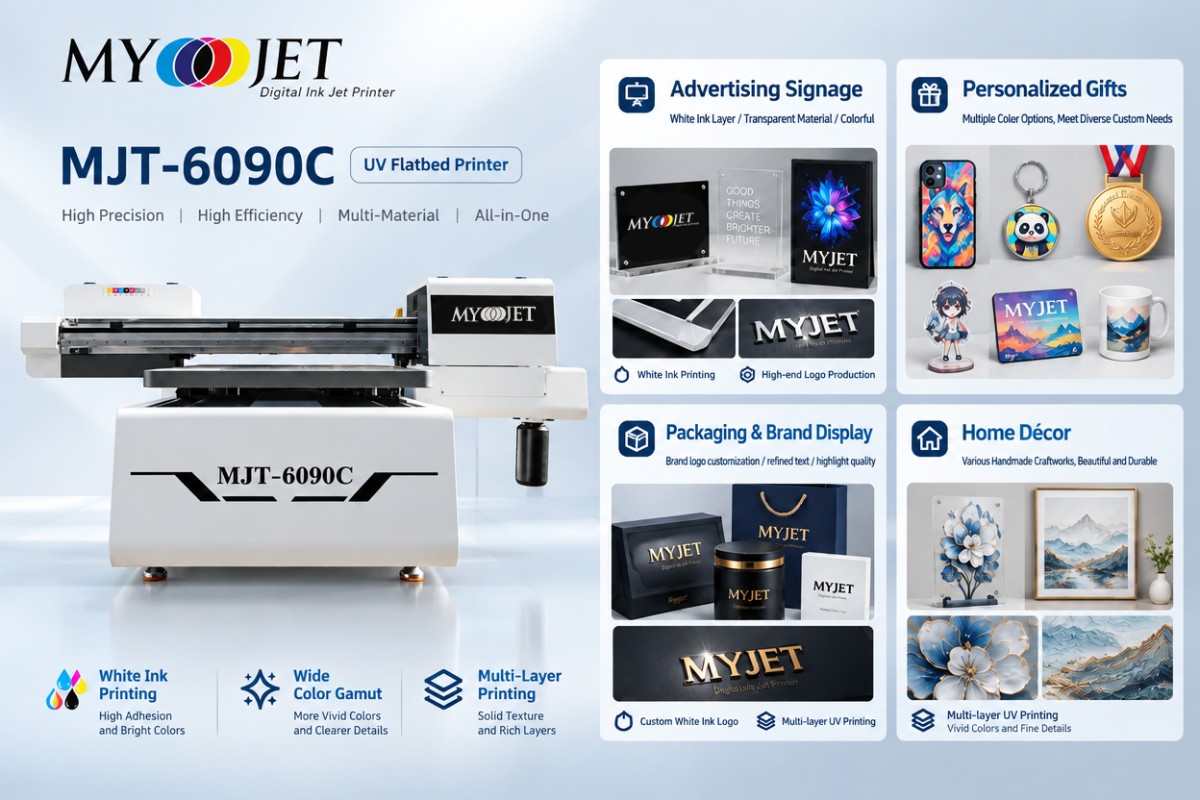
5. Applications of White Ink and Varnish in Different Industries
Advertising and Signage
White ink helps produce visible graphics on transparent or dark sign materials. Spot varnish can highlight brand names and logos.
Promotional Gifts and Customized Products
Keychains, medals, nameplates, phone cases and corporate gifts can benefit from a white foundation and selected surface highlights.
Packaging and Premium Branding
On compatible rigid packages or display components, spot gloss can emphasize logos or lettering without changing underlying colors.
Interior Decoration
Decorative artwork, acrylic panels and custom décor can use multilayer printing to simulate raised textures or brushstroke effects.
6. How to Prepare Artwork for White Ink and Varnish Printing
A typical workflow includes a CMYK image and separate data defining where white and varnish are printed. RIP systems may use spot colors, channels or specialized layers.
1. Prepare artwork at the intended production dimensions.
2. Identify areas that require white ink.
3. Create separate varnish areas or the required spot-color definition.
4. Verify print sequence and viewing direction.
5. Confirm RIP settings, ink density, and curing mode.
6. Print a sample before running production.
For fine text, a slight white-underbase adjustment may reduce visible outlines. The exact channel naming and adjustment depend on the RIP software and design resolution.
7. Common Problems with White Ink and Varnish Printing
White Ink Sedimentation
White pigments may settle during inactivity; follow equipment-specific agitation, circulation, and maintenance procedures.
Poor Ink Adhesion
Some glass, metal or plastic substrates require cleaning, surface treatment, or compatible primers.
Varnish Curing Problems
Unsuitable curing can result in tackiness, uneven gloss, or incomplete cure.
Layer Misalignment
Incorrect registration can create visible white borders and offset varnish effects. Printer checks, calibration and suitable RIP profiles help maintain consistency.
8. How to Choose a UV Printer with White Ink and Varnish
· Does the printer support CMYK, white, and varnish in the selected configuration?
· Can the RIP control separate specialty-ink layers?
· Does it support the necessary layer sequence and print modes?
· Is it compatible with intended rigid or flexible materials?
· How are white ink circulation and maintenance handled?
· Can the supplier demonstrate samples on the target substrate?
Compact UV flatbeds can suit personalized products, while large flatbed or hybrid machines may better fit signage, boards and mixed-media workloads.
9. MYJET UV Printing Solutions
MYJET offers compact and large-format UV equipment for personalized products, rigid board printing and hybrid production. CMYK, white and varnish capability depends on the exact model and configuration.
· MYJET 6090 UV Flatbed Printer — personalized items, acrylic and smaller rigid materials.
· MYJET 2513 UV Flatbed Printer — larger rigid substrates and commercial flatbed production.
· MYJET 1860 Series UV Hybrid Printers — compatible rigid and roll-fed materials.
Confirm the requested ink configuration, layer modes and sample results before ordering. MYJET can help evaluate substrate compatibility and printing requirements.
10. Frequently Asked Questions
Q1: Why is white ink necessary in UV printing?
It provides an opaque background on transparent, dark or colored substrates, improving color visibility and enabling white graphics.
Q2: Can a UV printer print without white ink?
Yes. CMYK-only printing suits many white and light-colored materials, but dark and clear surfaces often benefit from white.
Q3: What is the difference between UV varnish and white ink?
White adds opacity; transparent varnish adds gloss, decorative effects and some raised textures.
Q4: Can UV varnish create embossed effects?
Some printers build raised effects using repeated varnish layers. Results vary by equipment, ink and material.
Q5: Does UV varnish make prints waterproof and scratchproof?
Not automatically. Resistance must be tested for the exact ink, substrate and curing conditions.
Q6: Can white ink and varnish be printed together?
Yes, when the printer hardware and RIP software support both functions.
Q7: Is UV printing suitable for glass and metal?
It can be, but surface preparation, ink compatibility and adhesion testing are important.
Conclusion
White ink improves image visibility on dark or clear materials, while varnish adds gloss and decorative textures. Used with CMYK inks, they help businesses produce customized, higher-value products. Choosing the right UV printer requires matching materials, ink configuration and workflow.
Looking for a UV printer with white ink and varnish capabilities? Contact MYJET to discuss your application and request sample printing.
GET IN TOUCH