

A hybrid UV printer can print compatible rigid boards and flexible rolls on one machine. It is worth considering for sign businesses that handle both types of work and can schedule them separately. If both categories require continuous production, or products need specialised holding and precise registration, dedicated equipment deserves closer evaluation.
The right purchase starts with the jobs you produce most frequently. This guide explains where hybrid UV printing fits, how it compares with flatbed and roll-to-roll equipment, and what to test when evaluating a MYJET solution.
What Is a Hybrid UV Printer?
A hybrid UV printer combines rigid-media transport with roll-media feeding and take-up capabilities. It uses UV-curable ink to print directly onto compatible substrates.
Common designs move media through the printing area using a conveyor belt or another transport mechanism. Rigid boards require support appropriate to their dimensions and weight. Roll materials require suitable feeding, transport and take-up settings.
“Hybrid” describes the application range. It does not mean every model has the same material capabilities. Print width, media thickness and weight limits, printheads, inks and white ink configurations must be confirmed for the specific machine.
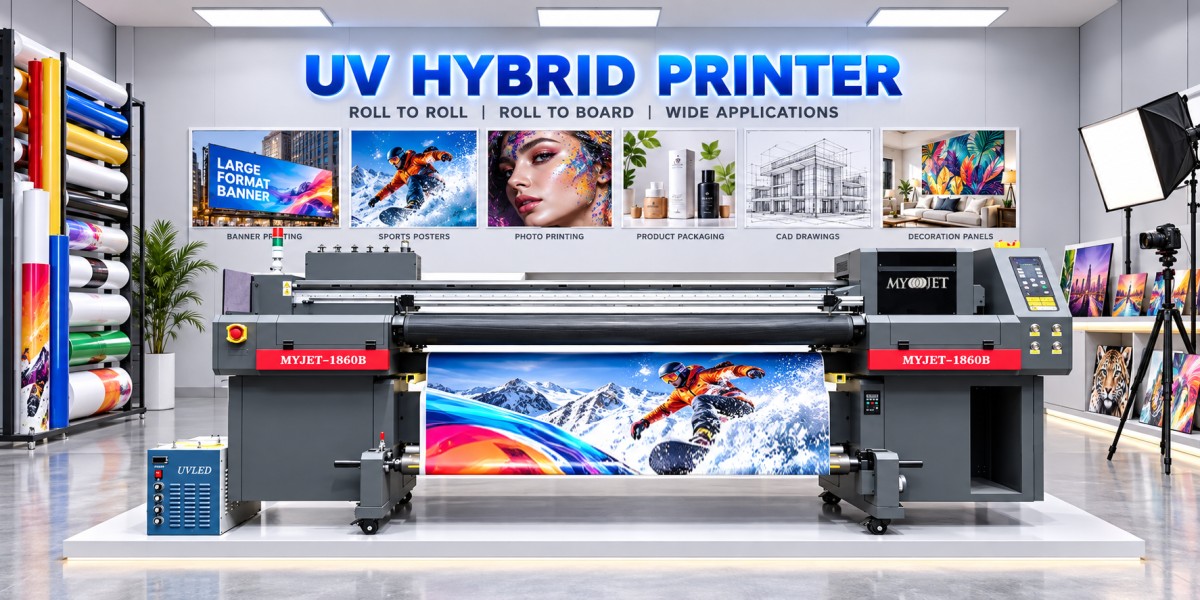
What Jobs Can a Hybrid UV Printer Handle?
A hybrid printer can expand in-house production for businesses making display boards, retail signs and flexible graphics. Each proposed material should be tested.
Materials with the same name may behave differently because of coatings, suppliers or surface treatments.
Transparent materials do not always require white ink, and metal surfaces should not automatically be assumed ready for direct printing.
Applications involving stretching, curved vehicle surfaces or repeated folding require additional testing of the ink, substrate and finishing process.
Hybrid UV vs. Flatbed vs. Roll-to-Roll Printers
Hybrid printers prioritise application coverage, flatbed printers provide table-based support and positioning, and roll-to-roll printers focus on continuous flexible-media transport.
Some flatbed systems offer roll-media options. Compare the actual machine structure and operating process rather than relying on the product category alone.
When Is a Hybrid UV Printer Worth Considering?
You Have Both Board and Roll Orders
A shop might schedule display boards in the morning and backlit films in the afternoon. If delivery requirements allow this arrangement, a hybrid printer can bring several applications onto one machine.
However, a full board-production schedule leaves roll orders waiting. Include loading, changeovers, cleaning, setup and maintenance in your capacity calculation.
You Want to Add Direct-to-Board Printing
For suitable jobs, printing directly onto a compatible board can remove the step of mounting printed adhesive graphics onto the panel.
Protective lamination or another finish may still be necessary, depending on wear resistance and the installation environment. Compare the complete workflows.
You Want to Expand in Stages
A hybrid printer can be a starting point for a growing business with varied orders.
Plan the complete working area, including board clearance, support tables, roll loading and operator access. The printer’s body dimensions do not represent its full production footprint.
When Should You Consider Dedicated Equipment?
Dedicated flatbed or roll-to-roll machines deserve closer attention when:
· Both job categories require sustained output: Separate printers allow parallel production.
· Products need specialised holding: Heavy or unusually shaped items require suitable support and fixtures.
· Registration or repeated overprinting is critical: Evaluate the machine using your actual process.
· Long-roll production dominates: Pay particular attention to tension control, take-up and extended operation.
Broader application coverage and higher parallel production capacity are different purchasing goals.
How Should You Evaluate MYJET Hybrid UV Printers?
MYJET models such as the 1860B, 1860PRO and 3260B can be included in a hybrid UV equipment evaluation. The appropriate model and configuration depend on your substrates, required print width, image quality and output targets.
Prepare the following information before comparing machines:
Telling MYJET which jobs you need to produce is more useful than asking only for the highest printing speed.
Five Tests to Complete Before Buying
1. Print Your Own Materials and Files
Test your most common substrates and the materials you find hardest to process. Use typical production artwork containing text, solid colours, gradients and fine edges.
Check adhesion according to the intended application.
2. Measure Output at Your Required Quality
Record the printhead configuration, print mode, pass count and ink-layer arrangement.
CMYK-only, white-and-colour and multilayer results should not be treated as interchangeable speed figures.
3. Watch a Complete Changeover
Observe the switch between board and roll jobs. Include support adjustments, loading, tension or vacuum settings, print height and software changes.
4. Complete the Actual Finishing Process
If the job requires cutting, lamination, bending, folding or installation, perform those steps on the samples before approving the workflow.
5. Calculate the Cost of Acceptable Finished Output
Include ink, labour, maintenance, waste and downtime. Confirm installation, training, replacement-part availability and technical support arrangements.
Cost per square metre of acceptable finished output—and orders completed within available working hours—provides a more useful comparison than purchase price alone.
Frequently Asked Questions
Can a hybrid UV printer print boards and rolls simultaneously?
Normally, board and roll jobs are scheduled separately and share the same printing system. Supporting both media categories does not provide the parallel capacity of two independent printers.
Can one UV ink system print both boards and rolls?
Some ink systems cover both categories. However, adhesion, flexibility and durability requirements vary. Test the proposed ink with your actual substrates.
Can a hybrid UV printer completely replace a flatbed printer?
It can cover some board-printing requirements. Special holding, heavy objects, demanding registration and repeated overprinting need separate evaluation.
Do transparent materials always need white ink?
No. The appropriate ink-layer arrangement depends on the required transparency, opacity, background and lighting conditions.
Is a hybrid printer always more economical than two machines?
No. It may reduce the initial equipment investment, but changeovers and scheduling delays also have costs. Calculate total costs using your actual order mix.
What should you confirm first when buying?
First establish whether the machine can reliably complete your main jobs. Testing your materials, files and complete workflow provides a stronger basis for comparison than maximum speed alone.
Choose a UV Printing Solution Around Your Orders
A hybrid UV printer suits businesses seeking both board and roll capabilities with a workable shared production schedule.
The final decision should be based on material testing, required image quality and the complete production process.
Contact MYJET with your regular substrates, maximum dimensions, daily output targets and white ink requirements for equipment recommendations and a sample-testing plan.
GET IN TOUCH